Scan2ICC
An Image Access online service for creating a custom ICC profile for each Scan2Net scanner — accurate color reproduction from scan to print. Available by subscription.
Developer: Image Access GmbH, Germany
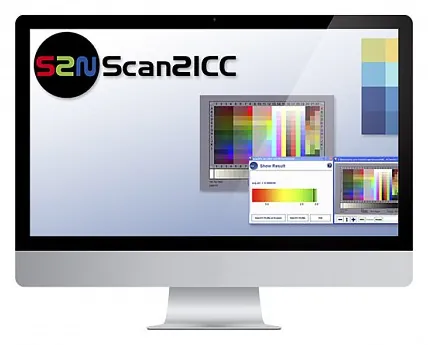
Scan2ICC is an online tool for creating a custom ICC profile (color profile) for a Scan2Net scanner. The manufacturer offers it as a simple and cost-effective alternative to complex and expensive third-party software. The profile matches the RGB (scanner) and CMYK (printer) color spaces, compensates for color deviations caused by ambient light and temperature fluctuations, and brings the scan colors closer to the original, which is especially important for copying.
A subscription for 3, 6, or 12 months is ordered on the Image Access customer service portal (payment by invoice or via PayPal) and is valid for one scanner, tied to its serial number; an IT8 calibration target is included in the subscription. The user downloads the small Scan2ICC.exe application, enters the subscription number and the scanner’s IP address, scans the IT8 or ColorChecker SG target, and then saves the finished profile on the scanner or on a PC and enables it in the scanner settings (Embedded ICC Profiles).
Features
- Custom ICC profile for each Scan2Net scanner
- Accurate color reproduction when copying: scan colors are brought closer to the original
- Matching of the RGB (scanner) and CMYK (printer) color spaces
- Compensation for color deviations caused by ambient light and temperature fluctuations
- Calibration with an IT8 target (included in the subscription) or ColorChecker SG
- The profile is saved on the scanner or a PC and enabled in the scanner settings
- Simple and straightforward operation; subscription for 3, 6, or 12 months
Documentation
Manufacturer documents (PDF) open on the manufacturer’s website.
Manuals and specifications
Sources: imageaccess.de/…/client-software · imageaccess.de/…/s2n-software-options · cdn.imageaccess.de/…/Instruction_Scan2ICC.pdf · cdn.imageaccess.de/…/Product_Catalog_EN.pdf